Advanced Smart TV Security: 2026 U.S. Cyber Threat Guide
Anúncios
In the rapidly evolving landscape of home technology, Smart TVs have transcended their role as mere entertainment devices. They are now sophisticated, internet-connected hubs that integrate seamlessly with our digital lives, offering everything from streaming services and web browsing to smart home control and interactive experiences. However, this increased connectivity brings with it a growing array of cybersecurity challenges. As we step into 2026, the threats targeting Smart TVs are becoming more advanced, requiring proactive and informed measures to ensure the security of our devices, our data, and our privacy.
Anúncios
The United States, with its high adoption rate of Smart TV technology, faces unique considerations regarding data privacy regulations and consumer protection. Understanding these nuances is crucial for any U.S. household looking to fortify its digital defenses. This comprehensive guide is designed to equip you with the knowledge and actionable steps needed to secure your Smart TV from the latest cyber threats in 2026, ensuring a safe and enjoyable connected experience.
The Evolving Threat Landscape for Smart TV Cyber Security
Gone are the days when a TV was just a TV. Today’s Smart TVs are essentially powerful computers running specialized operating systems, often based on Android or proprietary platforms. This complexity, while enabling incredible features, also introduces vulnerabilities that cybercriminals are eager to exploit. The motivations behind these attacks are varied, ranging from data theft and espionage to deploying malware for botnet operations or even using your Smart TV as an entry point to your broader home network. Understanding these threats is the first step in effective Smart TV Cyber Security.
What Makes Smart TVs Vulnerable?
- Embedded Operating Systems: Like any operating system, those found in Smart TVs can have security flaws that, if unpatched, can be exploited.
- App Ecosystems: Many Smart TVs support third-party applications. While most are legitimate, malicious apps can sometimes slip through app store vetting processes, acting as spyware or adware.
- Default Settings: Out-of-the-box settings often prioritize convenience over security, leaving open ports, weak passwords, or excessive data collection enabled.
- Lack of Timely Updates: Some manufacturers are slower than others in releasing security patches, leaving devices exposed for extended periods. Older models may even cease receiving updates entirely.
- IoT Interconnectivity: As part of the Internet of Things (IoT), Smart TVs often connect with other devices like smart speakers, cameras, and home assistants. A vulnerability in one device can be a gateway to another.
- User Data Collection: Smart TVs collect vast amounts of data on viewing habits, app usage, and even voice commands. This data is valuable to advertisers but also attractive to malicious actors.
Key Cyber Threats in 2026
By 2026, we anticipate several prominent cyber threats targeting Smart TVs:
- Advanced Malware and Ransomware: More sophisticated malware designed specifically for TV operating systems could lock users out of their devices, demanding payment for restoration.
- Phishing and Social Engineering: Attackers might leverage the TV’s interface to display convincing phishing messages, tricking users into revealing sensitive information or downloading malicious software.
- Eavesdropping and Surveillance: Exploiting built-in microphones and cameras (if present), attackers could remotely monitor conversations or record video, turning your entertainment center into a surveillance tool.
- DDoS Attacks and Botnets: Compromised Smart TVs can be conscripted into botnets, used to launch distributed denial-of-service (DDoS) attacks against other targets, often without the owner’s knowledge.
- Data Exfiltration: Attackers could steal personal data, login credentials for streaming services, and even financial information if stored or accessed via the TV.
- Network Intrusion: A vulnerable Smart TV can serve as a pivot point for attackers to gain access to your entire home network, compromising other connected devices like computers, smartphones, and smart home systems.
Essential Steps for Robust Smart TV Cyber Security
Securing your Smart TV requires a multi-layered approach, combining proactive measures with vigilant monitoring. Here are the essential steps for robust Smart TV Cyber Security in 2026:
1. Prioritize Software Updates and Patches
This is arguably the most critical step. Software updates often contain vital security patches that fix newly discovered vulnerabilities. Always enable automatic updates if available, or regularly check for and install them manually.
- Enable Automatic Updates: Dive into your TV’s settings menu (usually under ‘System’, ‘About’, or ‘Support’) and look for an option to enable automatic software updates.
- Manual Checks: Even with automatic updates enabled, it’s good practice to manually check for updates every few weeks, especially after news of major security vulnerabilities.
- Understand End-of-Life: Be aware that older Smart TV models eventually reach ‘end-of-life’ and no longer receive security updates. Consider upgrading if your TV is no longer supported, as it becomes an increasing security risk.
2. Strengthen Your Network Security
Your Smart TV is only as secure as the network it connects to. A strong home network forms the foundation of good Smart TV Cyber Security.
- Change Default Router Credentials: The first thing you should do with any new router is change the default administrator username and password. These are often generic and easily guessable.
- Use Strong Wi-Fi Passwords (WPA3 or WPA2-AES): Ensure your Wi-Fi network uses WPA3 encryption (if your router supports it) or at least WPA2-AES. Avoid older, weaker protocols like WEP or WPA/TKIP. Use a long, complex passphrase for your Wi-Fi password.
- Enable a Guest Network: If your router supports it, set up a separate guest Wi-Fi network for visitors. This isolates their devices from your main network, preventing potential threats from spreading to your Smart TV and other sensitive devices.
- Regularly Reboot Your Router: While not a security measure in itself, regularly rebooting your router can sometimes clear out temporary malicious code or refresh its security settings.
- Consider a Firewall: Your router likely has a built-in firewall; ensure it’s enabled. For advanced users, a dedicated hardware firewall can provide an additional layer of protection.
3. Review and Configure Smart TV Privacy Settings
Smart TVs are notorious for collecting user data. Take control of your privacy by meticulously reviewing and adjusting your TV’s settings.
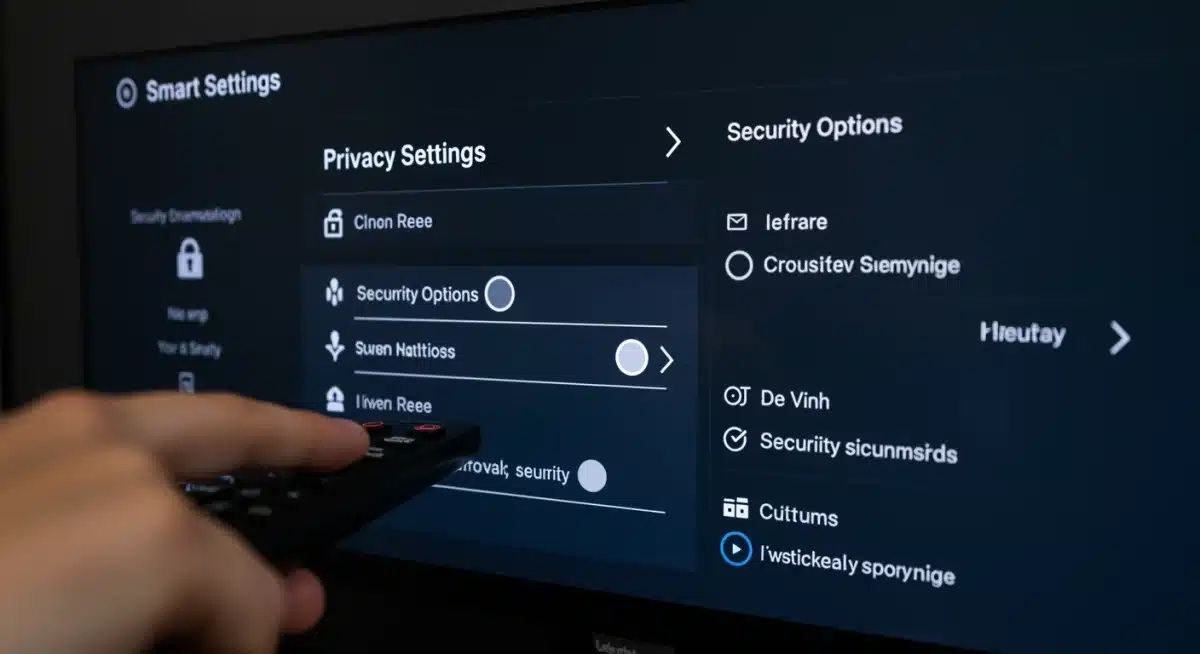
- Disable Automatic Content Recognition (ACR): Many Smart TVs use ACR to track what you watch, even from external sources like cable boxes or game consoles. This data is often shared with advertisers. Find this setting (often under ‘Privacy’, ‘Data Usage’, or ‘Smart Features’) and turn it off.
- Limit Personalized Advertising: Opt out of personalized ads and ad tracking features within your TV’s settings. This won’t eliminate ads, but it will reduce the amount of data collected about your viewing habits.
- Review App Permissions: Just like on your smartphone, Smart TV apps request permissions. Scrutinize these requests. Does a weather app really need access to your microphone or camera? Grant only necessary permissions.
- Manage Voice Assistants: If your TV has a built-in voice assistant (like Alexa, Google Assistant, or a proprietary one), review its privacy settings. Consider disabling the ‘always listening’ feature or setting up a clear visual indicator for when the microphone is active.
- Delete Unused Apps: Unused apps can be potential security risks. Regularly uninstall any applications you don’t use.
4. Use Strong, Unique Passwords for All Accounts
This fundamental security practice extends to your Smart TV and associated streaming accounts.
- Unique Passwords: Never reuse passwords across different services. If one service is breached, all your accounts are at risk.
- Strong Passwords: Use a combination of uppercase and lowercase letters, numbers, and symbols. Aim for a length of at least 12-16 characters.
- Password Manager: Consider using a reputable password manager to generate and store complex passwords securely.
- Two-Factor Authentication (2FA): Enable 2FA on all streaming services and accounts linked to your Smart TV whenever possible. This adds an extra layer of security, usually requiring a code from your phone in addition to your password.
5. Be Wary of Suspicious Apps and Downloads
The app ecosystem is a common vector for attacks. Exercise caution when downloading and installing applications.
- Stick to Official App Stores: Only download apps from your Smart TV’s official app store (e.g., Google Play Store for Android TVs, or the manufacturer’s dedicated store). Avoid sideloading apps from unknown sources.
- Read Reviews: Before downloading, check app reviews. Look for any mention of unusual behavior, excessive permissions, or security concerns.
- Verify Developer: Pay attention to the app developer. Is it a known, reputable company, or an obscure entity?
- Monitor App Behavior: If an app starts behaving suspiciously (e.g., excessive data usage, unexpected pop-ups, slowing down your TV), uninstall it immediately.
Advanced Smart TV Cyber Security Measures for 2026
For those seeking an even higher level of protection, consider these advanced Smart TV Cyber Security measures:
1. Implement Network Segmentation (VLANs)
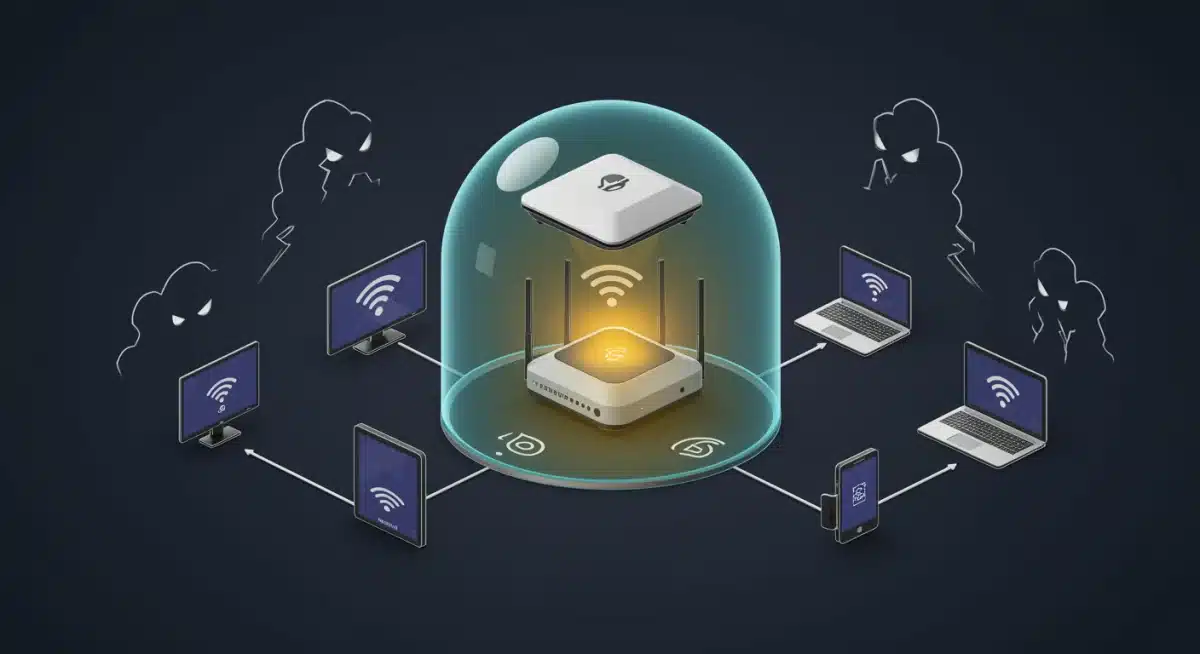
Network segmentation, typically achieved through Virtual Local Area Networks (VLANs), is an advanced technique that isolates your Smart TV and other IoT devices from your primary network.
- How it Works: A VLAN effectively creates separate, isolated networks on your router. Your Smart TV would be on an ‘IoT VLAN,’ while your computers and sensitive data are on a ‘main VLAN.’
- Benefits: If your Smart TV is compromised, the attacker’s access is restricted to the IoT VLAN, preventing them from easily moving to your more critical devices.
- Requirements: This requires a router that supports VLANs, and some technical expertise to configure.
2. Use a VPN on Your Router (or TV, if supported)
A Virtual Private Network (VPN) encrypts your internet traffic and routes it through a secure server, masking your IP address and protecting your online activities from eavesdropping.
- Router-Level VPN: The most effective way to secure all devices on your network, including your Smart TV, is to configure a VPN directly on your router. This ensures all traffic passing through the router is encrypted.
- TV-Specific VPN App: Some Smart TVs or their operating systems (like Android TV) support VPN apps directly. If available, this is also a good option, though it only protects the TV’s traffic.
- Benefits: Enhanced privacy, protection against ISP tracking, circumventing geo-restrictions, and an added layer of encryption against potential Man-in-the-Middle attacks.
3. Regularly Audit Your Connected Devices
Periodically review all devices connected to your home network. Unknown devices could indicate unauthorized access.
- Check Router’s Connected Devices List: Your router’s administration interface usually has a list of all currently connected devices. Familiarize yourself with the MAC addresses and names of your devices.
- Remove Unknown Devices: If you find an unknown device, block it immediately and change your Wi-Fi password.
- Use Network Scanners: Tools like Nmap or simple mobile apps can scan your network and identify all active devices.
4. Consider a DNS-Based Content Filter or Security Service
DNS (Domain Name System) services can block access to known malicious websites and ad servers at the network level, protecting all connected devices.
- How it Works: You configure your router to use a specific DNS server (e.g., OpenDNS, Cloudflare for Families, or services like NextDNS). These servers maintain lists of malicious domains and prevent your devices from connecting to them.
- Benefits: Blocks malware, phishing sites, and often ads across all devices, including your Smart TV, without needing to install software on each device.
U.S. Specific Considerations for Smart TV Cyber Security
In the United States, the landscape of data privacy and consumer protection is constantly evolving. While there isn’t a single federal law specifically governing Smart TV data, various regulations and industry standards apply:
1. FTC Guidelines and Consumer Protection
The Federal Trade Commission (FTC) plays a significant role in consumer protection, including digital privacy. They often investigate companies for deceptive practices regarding data collection and security. Consumers can report concerns directly to the FTC.
2. State-Level Privacy Laws (e.g., CCPA, CPRA)
States like California have enacted robust privacy laws such as the California Consumer Privacy Act (CCPA) and its successor, the California Privacy Rights Act (CPRA). These laws grant consumers more control over their personal data, including the right to know what data is collected, to request its deletion, and to opt out of its sale. While primarily targeting businesses, these laws influence how Smart TV manufacturers and app developers handle U.S. consumer data.
3. Industry Best Practices and Standards
Organizations like the National Institute of Standards and Technology (NIST) provide cybersecurity frameworks and guidelines that, while not always mandatory for consumer devices, influence industry best practices. Look for manufacturers that adhere to high security standards.
4. Data Brokerage and Advertising
Be aware that data collected by your Smart TV can be aggregated and sold to data brokers for targeted advertising. Understanding and utilizing your TV’s privacy settings to opt out of data sharing is crucial for U.S. users.
What to Do if Your Smart TV is Compromised
Despite all precautions, a breach can still occur. Knowing how to react quickly is key to mitigating damage and restoring your Smart TV Cyber Security.
- Disconnect from the Internet: Immediately unplug your Smart TV from your router (Ethernet) or disconnect it from Wi-Fi. This stops further data exfiltration or network intrusion.
- Perform a Factory Reset: A factory reset will wipe all data and settings, returning your TV to its original state. This can often remove malware. Be aware you will lose all your settings and installed apps.
- Change All Passwords: Change passwords for all streaming services and any accounts you logged into on the TV. Also, change your Wi-Fi password.
- Scan Other Devices: If your TV was part of your main network, scan all other connected devices (computers, smartphones) for malware, as the breach might have spread.
- Contact Manufacturer Support: Report the incident to your TV manufacturer. They might have specific advice or tools to help.
- Report to Authorities: For serious breaches involving personal data, consider reporting it to the FTC or relevant state consumer protection agencies.
The Future of Smart TV Cyber Security
As Smart TVs become more integrated with AI, voice recognition, and even biometric features, the stakes for security will only rise. Future trends in Smart TV Cyber Security will likely include:
- Hardware-Level Security: More robust hardware-based security features, similar to those found in modern smartphones, to protect against low-level attacks.
- AI-Powered Threat Detection: TVs might incorporate AI to detect unusual network activity or app behavior, offering real-time threat alerts.
- Decentralized Identity: Blockchain-based or decentralized identity solutions could offer more secure ways to manage access to streaming services and personal data.
- Stricter Regulations: Increased regulatory scrutiny, both federally and at the state level, could lead to more standardized security requirements for IoT devices, including Smart TVs.
- Enhanced User Controls: More granular and user-friendly privacy and security controls will become essential for mass adoption and trust.
Conclusion
Securing your Smart TV in 2026 is no longer an option but a necessity. With cyber threats constantly evolving, a proactive and informed approach to Smart TV Cyber Security is paramount. By diligently applying software updates, fortifying your home network, meticulously managing privacy settings, and exercising caution with apps, you can significantly reduce your risk. Remember that your Smart TV is a gateway to your digital life; protecting it means protecting your privacy, your data, and your peace of mind. Stay vigilant, stay informed, and enjoy your connected entertainment experience securely.