Upgrade Home Network 2026: Boost Wi-Fi Speed by 40%

To significantly enhance your digital experience, successfully upgrading your home network by 2026 can boost Wi-Fi speeds by 40% across all your devices through strategic planning and technology integration.
Are you tired of buffering, dropped connections, and slow downloads? By 2026, the demands on our home networks will be greater than ever, with more smart devices, higher-resolution streaming, and immersive online experiences. This comprehensive guide provides a step-by-step plan to upgrade your home network, ensuring a 40% boost in Wi-Fi speed for all your devices and a future-proof digital environment.
Assessing Your Current Network and Future Needs
Before embarking on any upgrade, it is crucial to understand your existing network’s capabilities and limitations. This initial assessment forms the bedrock of a successful upgrade, preventing unnecessary expenses and ensuring your new setup genuinely meets your requirements for 2026 and beyond.
Understanding Your Internet Service Provider (ISP) Plan
Your journey to a faster home network begins with your ISP. Many users pay for speeds they don’t fully utilize or, conversely, are bottlenecked by an outdated plan. Review your current internet package, understanding your subscribed download and upload speeds. It’s often surprising to find significant discrepancies between advertised speeds and actual performance.
- Check your current internet plan’s advertised speeds.
- Perform speed tests on various devices and locations in your home.
- Compare test results with your ISP’s promised speeds.
Furthermore, consider what your future internet usage might look like. Are you planning to add more smart home devices, delve into VR gaming, or work from home more frequently? These factors will dictate the bandwidth you need, making a strong case for potentially upgrading your ISP plan concurrently with your hardware.
Identifying Network Bottlenecks
A slow network isn’t always about your ISP. Often, the culprit lies within your home setup. Outdated routers, poor Wi-Fi coverage, or interference can severely degrade performance. Pinpointing these bottlenecks is essential for a targeted and effective upgrade.
- Analyze your current router’s age and specifications.
- Use network analysis tools to identify dead zones or weak signal areas.
- Consider potential sources of interference like microwaves or neighboring Wi-Fi networks.
By thoroughly assessing your current network and anticipating future demands, you lay the groundwork for an informed decision-making process. This foundational step ensures that every subsequent upgrade contributes meaningfully to achieving that 40% speed boost and a more reliable connection.
Upgrading Your Core Hardware: Router and Modem
The router and modem are the heart of your home network. Even if your internet plan is top-tier, an outdated router or modem can severely limit your speeds and overall network performance. Investing in modern, high-performance hardware is often the most impactful step in any network upgrade.
Choosing a Next-Generation Router (Wi-Fi 6E or Wi-Fi 7)
For 2026, Wi-Fi 6E is already a strong contender, offering access to the 6 GHz band, which significantly reduces congestion and interference, leading to faster, more reliable connections. However, Wi-Fi 7 (802.11be), also known as Extremely High Throughput (EHT), is on the horizon and will be the gold standard for future-proofing your network.
- Wi-Fi 6E: Utilizes the 6 GHz band for less interference and higher speeds.
- Wi-Fi 7 (EHT): Introduces multi-link operation (MLO) and wider channels for unprecedented speeds and efficiency.
- Look for features like OFDMA, MU-MIMO, and robust QoS (Quality of Service) controls.
A new router with these advanced standards will not only deliver faster speeds but also manage multiple devices more efficiently, reducing latency and improving overall responsiveness. This translates directly into a smoother experience for streaming, gaming, and video conferencing.
Selecting a Compatible Modem
Your modem is the gateway between your ISP and your router. If your ISP provides a modem/router combo unit, consider replacing it with separate, high-quality components. This offers greater flexibility and often superior performance. Ensure your new modem is compatible with your ISP’s technology (e.g., DOCSIS 3.1 for cable internet) and can handle the speeds of your upgraded internet plan.
Upgrading your core hardware is arguably the most critical step in boosting your Wi-Fi speed. Modern routers and modems are designed to handle the increasing demands of connected homes, providing the necessary bandwidth and stability to support a wide array of devices and activities without compromise.
Implementing a Mesh Wi-Fi System for Whole-Home Coverage
Traditional single routers often struggle to provide consistent Wi-Fi coverage throughout larger homes or those with multiple floors and thick walls. Dead zones and weak signals can negate the benefits of a powerful router. A mesh Wi-Fi system offers an elegant and highly effective solution to achieve seamless, high-speed coverage everywhere.
How Mesh Wi-Fi Works
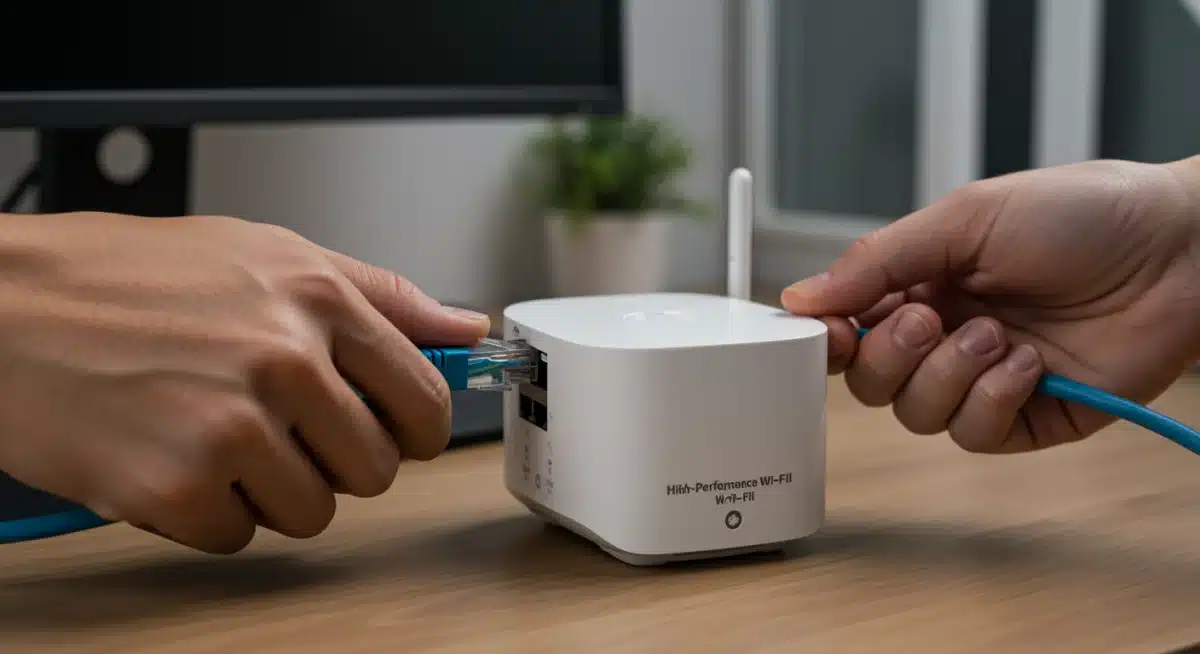
Unlike range extenders that simply rebroadcast a weak signal, mesh systems utilize multiple nodes or satellites that communicate with each other to create a single, unified Wi-Fi network. Your devices automatically connect to the strongest signal as you move around your home, ensuring a consistent and robust connection without manual switching.
- Multiple nodes create a single, unified network.
- Seamless roaming between access points.
- Eliminates dead zones and provides consistent speeds.
This intelligent distribution of Wi-Fi signals is particularly beneficial for homes with many connected devices, as the load can be more evenly spread across the mesh nodes, preventing any single point from becoming overwhelmed. The result is a noticeable improvement in both speed and reliability across your entire property.
Choosing the Right Mesh System
When selecting a mesh system, consider the size of your home and the number of nodes required. Many systems come with two or three units, but additional satellites can be purchased if needed. Look for systems that support Wi-Fi 6E or Wi-Fi 7 for future compatibility and optimal performance. Features like dedicated backhaul (a separate channel for nodes to communicate) can further enhance speed and efficiency.
Implementing a mesh Wi-Fi system is a game-changer for whole-home coverage, ensuring that your upgraded internet speeds are accessible and consistent in every corner of your living space. It’s an essential component for any comprehensive network upgrade targeting significant performance improvements.
Optimizing Network Settings and Configuration
Hardware upgrades are vital, but proper configuration and ongoing optimization of your network settings are equally important to squeeze every bit of performance out of your setup. Even the best equipment can underperform if not configured correctly.
Firmware Updates and Security
Regularly updating your router’s firmware is crucial for performance and security. Manufacturers frequently release updates that improve stability, fix bugs, and introduce new features. Outdated firmware can lead to vulnerabilities and suboptimal operation.
- Check for and install the latest firmware updates for all network devices.
- Enable WPA3 encryption for enhanced Wi-Fi security.
- Change default administrator passwords for improved protection.
Beyond performance, security is paramount. Ensure your Wi-Fi network uses WPA3 encryption, the latest and most secure standard. Furthermore, change default login credentials for your router and other network devices to prevent unauthorized access.
Channel Optimization and QoS
Wi-Fi networks operate on various channels. In congested areas, overlapping channels can cause significant interference and slow speeds. Most modern routers can automatically select the least congested channel, but manual adjustment might be necessary for optimal results. Utilize your router’s administrative interface to analyze network traffic and choose a less crowded channel, especially for the 2.4 GHz band.
Quality of Service (QoS) settings allow you to prioritize certain types of traffic or specific devices. If you frequently stream 4K video or engage in online gaming, configuring QoS to give these activities priority can significantly improve their performance, even during periods of high network usage. This ensures that critical applications receive the bandwidth they need when they need it.
By diligently optimizing your network settings, you fine-tune your hardware to deliver its maximum potential. These adjustments, often overlooked, contribute substantially to achieving a faster, more reliable, and more secure home network.
Harnessing Wired Connections and Powerline Adapters
While Wi-Fi technology has advanced dramatically, wired Ethernet connections still offer the fastest, most stable, and most secure network performance. For devices that demand consistent speed and low latency, a wired connection remains superior. When running Ethernet cables isn’t feasible, powerline adapters present a viable alternative.
The Unbeatable Performance of Ethernet
For devices like desktop computers, gaming consoles, smart TVs, and network-attached storage (NAS) devices, connecting directly to your router or a network switch via an Ethernet cable can bypass Wi-Fi interference and congestion entirely. This ensures maximum bandwidth and minimal latency, critical for activities such as competitive online gaming, large file transfers, and 8K streaming.
- Connect stationary devices like PCs, gaming consoles, and smart TVs directly via Ethernet.
- Utilize a Gigabit Ethernet switch if your router has limited LAN ports.
- Consider running new Cat6a or Cat7 Ethernet cables for future-proofing.
Even with a robust Wi-Fi 6E or Wi-Fi 7 network, offloading high-bandwidth devices to wired connections frees up wireless capacity for mobile devices that truly need it. This balanced approach optimizes the entire network’s efficiency and speed.
Powerline Adapters as a Wi-Fi Alternative
If running Ethernet cables through your home is impractical or too costly, powerline adapters offer a convenient solution. These devices use your home’s existing electrical wiring to transmit network data. Plug one adapter into a wall outlet near your router and connect it via Ethernet, then plug another adapter into an outlet wherever you need a wired connection.
While not as fast as direct Ethernet, modern powerline adapters can still provide significantly more stable and often faster speeds than a weak Wi-Fi signal, especially in areas with poor wireless coverage. This makes them an excellent option for extending reliable network access to distant rooms or basements without extensive wiring work.
Integrating wired connections and considering powerline adapters for specific use cases ensures that critical devices receive optimal performance, complementing your high-speed Wi-Fi network and contributing to a comprehensively faster home environment.
Advanced Strategies: DNS, VPN, and IoT Segmentation
Beyond the fundamental hardware and configuration upgrades, several advanced strategies can further refine your network’s performance, security, and efficiency. These measures cater to more specific needs and can provide additional layers of optimization for a truly high-performing home network by 2026.
Leveraging Custom DNS Servers
Your Domain Name System (DNS) server translates human-readable website addresses (like google.com) into IP addresses that computers understand. The DNS servers provided by your ISP might not always be the fastest or most private. Switching to a third-party DNS provider like Cloudflare (1.1.1.1), Google Public DNS (8.8.8.8), or OpenDNS can often result in faster website loading times and enhanced privacy.
- Configure your router to use faster, more private DNS servers.
- Enjoy quicker website resolution and potentially enhanced security features.
- Consider DNS over HTTPS (DoH) or DNS over TLS (DoT) for encrypted queries.
This seemingly small change can have a noticeable impact on your browsing experience, as every time you visit a new website, your device performs a DNS lookup. Faster lookups mean snappier web navigation.
Implementing a VPN at the Router Level
For enhanced privacy and security across all devices on your network, consider setting up a Virtual Private Network (VPN) directly on your router. While individual VPN clients protect specific devices, a router-level VPN encrypts all traffic passing through your network, including smart home devices that may not support VPN software themselves. This ensures a consistent layer of protection for your entire household.
Note that running a VPN on your router can sometimes slightly reduce overall speeds due to the encryption and decryption process. However, for those prioritizing privacy and security, the trade-off is often well worth it, especially with modern, powerful routers capable of handling VPN encryption efficiently.
IoT Network Segmentation
With the proliferation of smart home devices (IoT), it’s wise to segment your network. Create a separate Wi-Fi network (a guest network or a dedicated VLAN if your router supports it) specifically for your IoT devices. This isolates them from your primary network where your more sensitive devices (computers, phones) reside. If an IoT device were to be compromised, the breach would be contained, preventing attackers from gaining access to your main network.
These advanced strategies, while requiring a bit more technical know-how, offer significant benefits in terms of speed, security, and overall network management. They represent the final polish on a comprehensively upgraded home network, ready for the demands of 2026.
Maintaining and Monitoring Your Upgraded Network
Upgrading your home network isn’t a set-it-and-forget-it task. To ensure your 40% speed boost remains consistent and your network continues to perform optimally, regular maintenance and monitoring are essential. Proactive management can prevent minor issues from escalating into major disruptions.
Regular Speed Tests and Performance Checks
Make it a habit to periodically run speed tests from various devices and locations within your home. This helps you confirm that your network is consistently delivering the expected speeds. If you notice a significant drop, it could indicate a new source of interference, an issue with your ISP, or a problem with one of your network components.
- Schedule monthly speed tests using reliable online tools.
- Monitor network latency, especially for gaming and video conferencing.
- Use your router’s built-in monitoring tools for traffic analysis.
Many modern routers and mesh systems come with companion apps that offer detailed insights into network usage, connected devices, and potential issues. Utilizing these tools can provide valuable data for troubleshooting and optimization.
Addressing Interference and Signal Obstacles
Your Wi-Fi signal can be affected by various factors, including physical obstacles (walls, furniture), other electronic devices (microwaves, cordless phones), and neighboring Wi-Fi networks. Periodically reassess your environment for new sources of interference. If you introduce a new appliance, observe if it impacts your Wi-Fi performance.
Consider the placement of your router and mesh nodes. Even a slight adjustment in their position can sometimes lead to significant improvements in signal strength and coverage. Aim for central locations, away from large metal objects and other electronics that might emit electromagnetic interference.
By actively maintaining and monitoring your upgraded home network, you ensure its longevity and sustained high performance. This ongoing commitment safeguards your investment and guarantees that your digital experience remains seamless and fast for years to come.
| Key Upgrade Area | Brief Description |
|---|---|
| Core Hardware | Upgrade to Wi-Fi 6E/7 router and compatible modem for foundational speed improvements. |
| Coverage Solution | Implement a mesh Wi-Fi system for seamless, whole-home high-speed connectivity. |
| Configuration & Settings | Optimize router settings, channels, and QoS for peak performance and security. |
| Wired Connections | Utilize Ethernet or powerline adapters for critical devices requiring maximum stability and speed. |
Frequently Asked Questions About Network Upgrades
The most crucial component to upgrade first is your router. A modern router, especially one supporting Wi-Fi 6E or Wi-Fi 7, forms the backbone of a fast and efficient network, ensuring optimal performance for all connected devices and leveraging your internet plan’s full potential.
A mesh Wi-Fi system significantly improves your network by providing seamless, whole-home coverage. It eliminates dead zones and ensures consistent high speeds by using multiple interconnected nodes, allowing devices to automatically connect to the strongest signal as you move around your house.
While Wi-Fi 6E offers excellent performance for 2026, Wi-Fi 7 (802.11be) is emerging as the future-proof standard. It’s not strictly necessary for everyone, but for users with high bandwidth demands, numerous devices, and a desire for cutting-edge speed, it provides significant advantages and longevity.
Wired Ethernet connections offer unparalleled stability, speed, and security compared to Wi-Fi. They eliminate wireless interference, reduce latency, and provide maximum bandwidth, making them ideal for stationary devices like gaming consoles, desktop PCs, and smart TVs that require consistent, high-performance connectivity.
To improve Wi-Fi security, ensure your router uses WPA3 encryption, change all default administrator passwords, and regularly update your router’s firmware. Additionally, consider segmenting your network for IoT devices and implementing a VPN at the router level for comprehensive protection across all connected devices.
Conclusion
Upgrading your home network by 2026 is not merely about achieving faster speeds; it’s about future-proofing your digital lifestyle and ensuring a seamless, reliable experience for every device and activity. By strategically assessing your needs, investing in next-generation hardware like Wi-Fi 6E or Wi-Fi 7 routers, implementing mesh systems for comprehensive coverage, and meticulously optimizing your settings, you can realistically expect a 40% boost in Wi-Fi performance. This step-by-step plan empowers you to transform your home network into a robust and responsive backbone, ready to handle the evolving demands of modern technology and connectivity.