USB-C Standard 2025: US Device Compatibility Guide
The new USB-C standard in 2025 ushers in significant advancements in speed, power delivery, and versatility for US device owners, demanding a clear understanding to maximize compatibility and leverage its full potential across various consumer electronics.
As 2025 approaches, a significant shift in how our devices connect, charge, and transfer data is on the horizon. For US device owners, understanding the new USB-C standard in 2025: a practical guide for US device owners to maximize compatibility is no longer just for tech enthusiasts, but a crucial piece of knowledge for everyone. This evolution promises to streamline our digital lives, but it also introduces new complexities that require careful attention.
The Evolution of USB-C: What’s New for 2025?
The USB-C connector has become ubiquitous, but its underlying standards are constantly evolving. For 2025, the focus intensifies on higher data transfer rates, more robust power delivery, and greater interoperability. These advancements are not just incremental; they represent a significant leap forward in what a single cable can achieve.
The primary driver behind these changes is the introduction of USB4 Version 2.0, which builds upon the existing USB4 specification. This new iteration promises to double the theoretical maximum data transfer speeds, offering unparalleled performance for demanding applications. It’s designed to handle the increasing bandwidth requirements of high-resolution displays, external GPUs, and lightning-fast storage solutions, all through a single, reversible connector.
Key Enhancements in USB4 Version 2.0
- Increased Data Speeds: USB4 Version 2.0 is expected to offer up to 80 Gbps bidirectional data transfer, with the potential for asymmetrical data flows reaching up to 120 Gbps in one direction. This is a game-changer for professionals and power users.
- Improved Power Delivery: While the Power Delivery (PD) specification is separate from USB data standards, new USB-C cables and ports in 2025 will increasingly support higher wattage delivery, up to 240W in some cases. This means faster charging for more power-hungry devices like gaming laptops.
- Enhanced Display Support: The new standard will better integrate with DisplayPort 2.1, allowing for support of 8K displays at high refresh rates, and even future 16K displays, all through a single cable.
These enhancements are poised to redefine our expectations of connectivity. The ability to handle massive amounts of data, power, and high-resolution video simultaneously through one port simplifies our setups and reduces cable clutter. It’s a move towards a truly universal port, minimizing the need for multiple, specialized connectors for different functions.
Decoding USB-C Terminology: USB4, Thunderbolt, and Power Delivery
Navigating the world of USB-C can be confusing due to the array of terms like USB 3.2, USB4, Thunderbolt, and various Power Delivery (PD) profiles. Understanding these distinctions is crucial for US device owners to make informed purchasing decisions and ensure compatibility in 2025.
USB-C is merely the physical connector shape. The capabilities, however, are dictated by the underlying USB specification (e.g., USB 3.2, USB4) and other protocols it supports, such as Thunderbolt and USB Power Delivery. These standards determine data speeds, video output capabilities, and charging wattage.
Understanding USB Standards
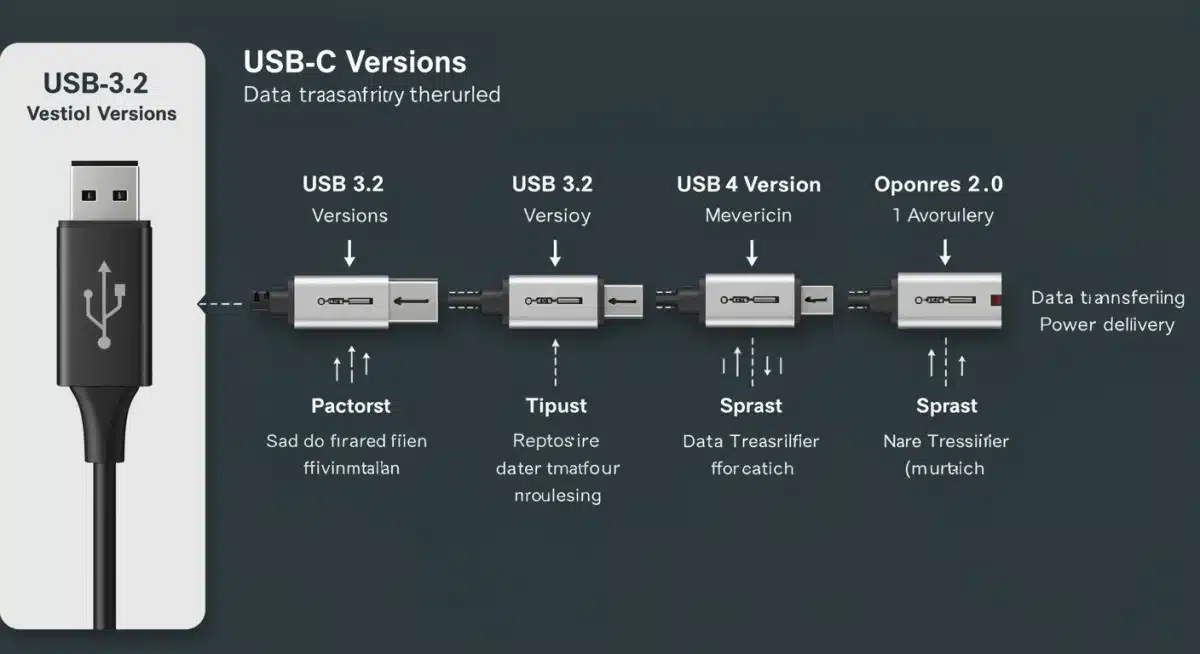
- USB 3.2: This standard offers various speeds, typically up to 20 Gbps, and is widely adopted. Many existing USB-C devices and accessories operate under this specification.
- USB4: Introduced as a successor, USB4 leverages the Thunderbolt 3 protocol, providing 40 Gbps data transfer speeds and dynamic allocation of bandwidth for data and video. It’s a significant step up from USB 3.2.
- USB4 Version 2.0: This is the new standard expected to gain traction in 2025, doubling USB4’s bandwidth to 80 Gbps (and up to 120 Gbps asymmetrical) and integrating the latest DisplayPort and Power Delivery specifications.
Thunderbolt Integration
Thunderbolt, developed by Intel, has historically offered higher performance than standard USB. Thunderbolt 3 was integrated into USB4, meaning all USB4 ports are compatible with Thunderbolt 3 devices. With the arrival of Thunderbolt 4 and now Thunderbolt 5, the line between USB and Thunderbolt continues to blur, with Thunderbolt consistently pushing the envelope for speed and capability.

USB Power Delivery (PD)
USB PD is a separate specification that governs how much power can be delivered over a USB-C cable. While older USB standards had limited power output, USB PD allows for up to 240W, enabling USB-C to charge everything from smartphones to high-performance laptops. It’s important to note that a cable’s PD capabilities are independent of its data transfer speed, meaning a fast data cable might not support high wattage charging, and vice versa. Always check the cable’s specifications.
The complexity arises because not all USB-C ports or cables are created equal. A device might have a USB-C port that only supports USB 3.2 speeds and limited power delivery, while another might support the full USB4 Version 2.0 specification with high wattage PD. Consumers need to look for specific logos and certifications to ensure they are getting the features they expect.
Maximizing Compatibility: What US Device Owners Need to Know
For US device owners, maximizing compatibility with the new USB-C standard in 2025 means being proactive and informed. The key is to understand that ‘USB-C’ is a connector, not a guarantee of specific performance. True compatibility hinges on the underlying standards supported by your devices and accessories.
As new devices roll out, they will increasingly feature USB4 Version 2.0 and enhanced Power Delivery capabilities. However, older devices will still be prevalent, and ensuring they can connect and function optimally with newer peripherals is important. The beauty of USB-C is its backward compatibility; newer ports can generally work with older USB-C devices, albeit at the lower speed or power profile of the older device.
Checking Device Specifications
Always review the specifications of your devices and any new accessories you purchase. Look for explicit mentions of USB4 Version 2.0, Thunderbolt 4 or 5, and specific Power Delivery wattages. Don’t assume a USB-C port on a new device automatically supports the latest and greatest features.
Cable Selection Matters
The cable you use is just as important as the ports on your devices. A high-quality, certified USB-C cable is essential for unlocking the full potential of the new standard. Cheap or generic cables may not support high data transfer rates or high wattage charging, leading to performance bottlenecks or even compatibility issues. Look for cables explicitly labeled for USB4 Version 2.0, Thunderbolt 4/5, or specific PD wattages (e.g., “240W PD cable”).
Ensuring maximum compatibility also extends to your existing ecosystem. Consider upgrading key peripherals like docks, hubs, and external storage to match the new standards if you want to take full advantage of the increased speeds and capabilities. This strategic upgrade path will help future-proof your setup.
The Impact on Charging and Power Delivery
The advancements in USB-C’s Power Delivery (PD) capabilities are set to revolutionize how we charge our devices. With support for up to 240W, USB-C can now power a much wider range of electronics, from compact smartphones to high-performance gaming laptops and even some monitors, potentially eliminating the need for bulky proprietary chargers.
This increased power capability means faster charging times for all compatible devices. Imagine charging your laptop, tablet, and smartphone with a single, universal charger and cable. This not only reduces clutter but also simplifies travel and reduces the e-waste associated with different chargers for every device.
Understanding Extended Power Range (EPR)
The 240W capability is part of the USB PD 3.1 specification, which introduced Extended Power Range (EPR). Prior to EPR, USB PD was limited to 100W. EPR allows for power delivery up to 240W, opening up USB-C charging to devices that previously required dedicated power bricks.
- Benefits of EPR: Enables universal charging for a broader range of devices, reduces the number of chargers needed, and provides faster charging for power-hungry electronics.
- Compatibility: Devices and cables must explicitly support EPR to utilize the higher wattage. Legacy USB PD devices will still charge at their maximum supported wattage (up to 100W) when connected to an EPR-capable charger and cable.
For US device owners, this means a more unified and efficient charging experience. However, it’s crucial to ensure that both your charger and cable are rated for the desired wattage. Using a 60W cable with a 240W charger will only allow your device to draw up to 60W, assuming the device supports it.
The move towards higher power delivery also impacts accessories like portable power banks and docking stations, which can now offer more robust charging solutions for connected devices. This creates a more seamless and integrated power ecosystem for all your electronics.
Data Transfer Speeds and Display Capabilities
The leap to 80 Gbps (and up to 120 Gbps asymmetrical) with USB4 Version 2.0 fundamentally transforms data transfer and display capabilities. This immense bandwidth allows for incredibly fast transfers of large files, making external SSDs feel almost as fast as internal storage, and enables advanced multi-monitor setups without compromise.
For content creators, gamers, and professionals working with large datasets, these speeds are revolutionary. Editing 8K video directly from an external drive, running demanding applications on external GPUs, or managing multiple high-resolution displays through a single port becomes not just possible, but seamless.
Advanced Display Support
The integration of DisplayPort 2.1 into USB4 Version 2.0 means that USB-C ports can now drive multiple high-resolution monitors with high refresh rates. This includes:
- 8K Displays: Support for 8K displays at high refresh rates, providing stunning visual fidelity.
- Future 16K Displays: The bandwidth is even sufficient to support emerging 16K display technologies, ensuring future-proofing for your display needs.
- Multi-Display Setups: Easily connect multiple 4K monitors to a single laptop via a USB-C dock or hub, simplifying your workstation setup significantly.
This convergence of data, video, and power into a single port not only declutters your desk but also enhances the flexibility and portability of your setup. A single USB-C cable can transform a laptop into a powerful desktop workstation, connecting to external displays, storage, and peripherals with ease.
However, users must be aware that not all USB-C ports or cables will support these advanced display capabilities. Again, checking the specifications of your devices and ensuring you have certified cables that explicitly mention DisplayPort Alt Mode or Thunderbolt support is critical to unlock these features.
Preparing Your Devices for the 2025 USB-C Landscape
As we move into 2025, preparing your current and future devices for the evolving USB-C landscape is essential for a smooth technological transition. This involves a combination of understanding current device limitations, making informed purchasing decisions, and investing in the right accessories.
The goal is to ensure that your devices can effectively communicate, charge, and transfer data without encountering frustrating compatibility issues. While backward compatibility is a hallmark of USB standards, leveraging the full potential of new technologies requires thoughtful planning.
Strategic Upgrades and Purchases
- Assess Current Needs: Evaluate your existing devices. Do you frequently transfer large files? Do you use external monitors? Your usage patterns will dictate how much you need to prioritize the new USB-C features.
- Prioritize Certified Products: When buying new devices, cables, or accessories, look for certified products. Logos like “USB4 Certified,” “Thunderbolt Certified,” or specific Power Delivery wattage ratings provide assurance of performance and compatibility.
- Consider Future-Proofing: If purchasing new laptops, desktops, or monitors, opt for those with USB4 Version 2.0 or Thunderbolt 5 ports if your budget allows. This ensures they are ready for the fastest speeds and most advanced display capabilities.
Managing Your Existing Ecosystem
Don’t feel pressured to replace all your working USB-C accessories immediately. Older USB-C hubs, docks, and cables will still function, but they might not deliver the peak performance offered by the new standards. Identify bottlenecks in your current setup and upgrade those specific components as needed.
For example, if your current external SSD is limited by a USB 3.2 connection, upgrading to a USB4 Version 2.0 compatible enclosure and an appropriate cable could dramatically improve transfer speeds. Similarly, if you’re experiencing lag with multiple 4K monitors, a Thunderbolt 5 dock could be the solution.
Staying informed about firmware updates for your devices is also important, as manufacturers may release updates to improve USB-C compatibility or unlock new features on existing hardware. By taking a measured and informed approach, US device owners can smoothly transition into the advanced USB-C ecosystem of 2025.
| Key Aspect | Description for 2025 |
|---|---|
| USB4 Version 2.0 | Newest standard offering 80 Gbps (up to 120 Gbps asymmetrical) data transfer. |
| Power Delivery (EPR) | Extended Power Range (EPR) supports up to 240W charging for heavy-duty devices. |
| Display Capabilities | Integrated DisplayPort 2.1 for 8K and future 16K multi-display support. |
| Cable Importance | High-quality, certified cables are essential to unlock full USB-C 2025 features. |
Frequently Asked Questions About USB-C in 2025
The main advantage is significantly increased data transfer speeds, reaching up to 80 Gbps (and 120 Gbps asymmetrical) with USB4 Version 2.0. This allows for faster file transfers, better external display support, and more robust connectivity for various high-bandwidth peripherals, streamlining workflows and enhancing user experience across devices.
Yes, newer USB-C ports and cables are designed to be backward compatible with older USB-C devices. However, older devices will operate at their maximum supported speed and power delivery, not necessarily the full capabilities of the new standard. For optimal performance, both devices and cables should support the latest specifications.
The new standard integrates USB PD 3.1, which includes Extended Power Range (EPR) allowing for power delivery up to 240W. This means USB-C can now charge a wider range of power-hungry devices, like high-performance laptops, significantly reducing the need for multiple proprietary chargers and cables.
When purchasing new USB-C cables, look for explicit certifications such as “USB4 Certified” or “Thunderbolt 5 Certified.” Also, check for specific power delivery ratings (e.g., “240W PD”) and confirm support for display protocols like DisplayPort 2.1 to ensure the cable can handle the full potential of the new standard.
Absolutely. Thunderbolt continues to be highly relevant. USB4 incorporated Thunderbolt 3 technology, and the latest Thunderbolt 5 standard pushes performance even further, often exceeding baseline USB4 capabilities. Devices with Thunderbolt ports offer premium performance and broader compatibility with high-end accessories, complementing the evolving USB-C ecosystem.
Conclusion
The new USB-C standard in 2025 represents a pivotal moment for consumer technology, promising a future of faster data, more universal charging, and simplified connectivity for US device owners. By understanding the nuances of USB4 Version 2.0, the enhanced Power Delivery capabilities, and the importance of certified cables and devices, consumers can confidently navigate this evolution. Staying informed and making strategic purchasing decisions will be key to maximizing compatibility and fully leveraging the powerful potential of this transformative technology, ensuring a seamless and efficient digital experience for years to come.