Securing Your Digital Footprint: 8 Essential Consumer Tech Cybersecurity Tips for 2026 (Practical Solutions)
Anúncios
Securing Your Digital Footprint: 8 Essential Consumer Tech Cybersecurity Tips for 2026 (Practical Solutions)
In an era defined by ubiquitous connectivity and an ever-expanding array of smart devices, our digital footprint has never been larger or more vulnerable. From the smartphones in our pockets to the smart home devices managing our daily lives, consumer technology has become deeply intertwined with our personal information. As we look towards 2026, the landscape of cyber threats continues to evolve at an alarming pace, making robust consumer tech cybersecurity more critical than ever before. This comprehensive guide will equip you with 8 essential, practical solutions to fortify your digital defenses and protect your privacy against the sophisticated attacks of tomorrow.
The digital world offers unparalleled convenience and innovation, yet it also presents a fertile ground for cybercriminals. Identity theft, data breaches, ransomware, and phishing attacks are no longer abstract concepts; they are daily realities that can have devastating consequences for individuals. Understanding and implementing effective consumer tech cybersecurity measures is no longer optional — it’s a fundamental necessity for anyone navigating the modern digital realm. Let’s delve into the strategies that will help you stay ahead of the curve and maintain control over your digital life.
Anúncios
1. Embrace Multi-Factor Authentication (MFA) as Your Digital Guardian
One of the most impactful steps you can take to enhance your consumer tech cybersecurity is to enable Multi-Factor Authentication (MFA) on all your accounts. MFA adds an extra layer of security beyond just a password, requiring two or more verification factors to gain access. This typically involves something you know (your password), something you have (a code from an authenticator app or SMS to your phone), or something you are (a fingerprint or facial scan).
Why is MFA so crucial? Even the strongest password can be compromised through phishing, data breaches, or brute-force attacks. With MFA enabled, even if a cybercriminal manages to steal your password, they won’t be able to access your account without that second factor. This significantly reduces the risk of unauthorized access to your email, social media, banking, and cloud storage — essentially, all the critical components of your digital identity.
Practical MFA Implementation:
- Authenticator Apps: Opt for authenticator apps like Google Authenticator, Microsoft Authenticator, or Authy over SMS-based codes. SMS can be vulnerable to SIM swap attacks, where criminals trick carriers into transferring your phone number to their device.
- Hardware Security Keys: For critical accounts, consider hardware security keys (e.g., YubiKey). These physical devices offer the highest level of MFA security, as they must be physically present to authenticate.
- Enable Everywhere: Make it a habit to check every service and app for an MFA option in its security settings. Most major platforms now offer it.
- Regular Review: Periodically review your MFA settings to ensure they are active and configured correctly.
2. Fortify Your Passwords: Complexity, Uniqueness, and Management
While MFA adds a critical second line of defense, strong passwords remain the bedrock of good consumer tech cybersecurity. The days of simple, memorable passwords are long gone. In 2026, passwords need to be long, complex, and unique for every single account.
Reusing passwords is akin to using the same key for your house, car, and bank vault. If one lock is picked, everything is compromised. Cybercriminals often use credentials stolen from one data breach to try and access hundreds of other accounts — a technique known as ‘credential stuffing’.
Crafting and Managing Strong Passwords:
- Length is Key: Aim for passwords that are at least 12-16 characters long. The longer, the better.
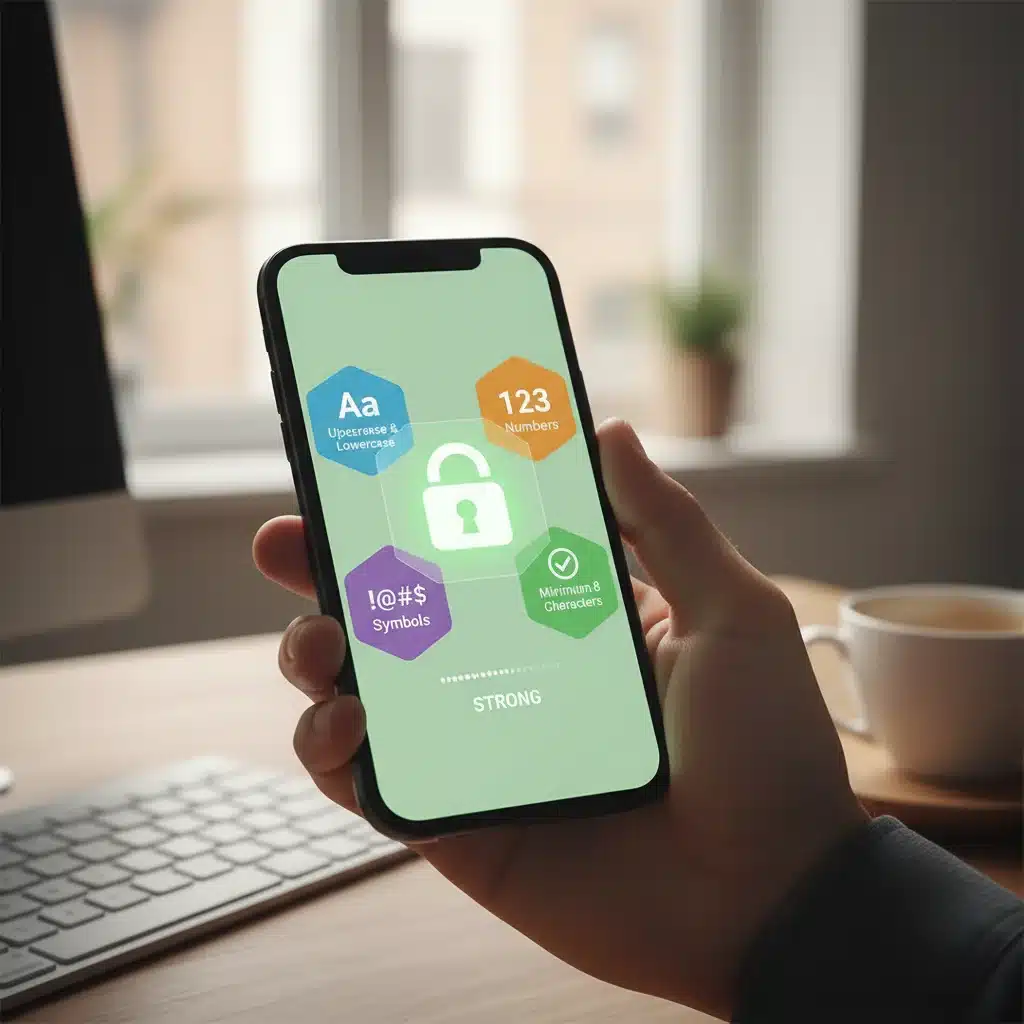
- Mix it Up: Combine uppercase and lowercase letters, numbers, and special characters.
- Avoid Personal Information: Steer clear of using birth dates, pet names, family names, or easily guessable information.
- Unique for Each Account: This is non-negotiable. Every account needs its own distinct password.
- Password Managers: This is where password managers become indispensable. Tools like LastPass, 1Password, Bitwarden, or Dashlane can generate strong, unique passwords for all your accounts and store them securely in an encrypted vault. You only need to remember one master password. This is a game-changer for effective consumer tech cybersecurity.
- Regular Updates: While not as critical with unique, strong passwords, consider updating your most sensitive passwords periodically, especially if there’s any suspicion of a breach.
3. Keep All Your Software and Firmware Up-to-Date
Software and firmware updates are not just about new features or performance improvements; they are absolutely vital for consumer tech cybersecurity. Developers constantly discover and patch vulnerabilities — weaknesses in code that cybercriminals can exploit. When you delay updates, you leave these security holes open, making your devices and data susceptible to attack.
This applies to everything: your operating system (Windows, macOS, Android, iOS), web browsers, antivirus software, mobile apps, and even the firmware on your routers, smart TVs, and IoT devices. Neglecting updates is one of the easiest ways for attackers to gain a foothold in your digital ecosystem.
Establishing an Update Routine:
- Enable Automatic Updates: Wherever possible, enable automatic updates for operating systems and apps. This ensures you receive critical patches as soon as they are released.
- Check Manually: For devices or software that don’t have automatic updates, make it a habit to manually check for and install updates at least once a month. This includes your home router — a common entry point for attackers.
- Browser Updates: Modern web browsers update frequently and often silently. Ensure this feature is active.
- IoT Firmware: Don’t forget your smart home devices. Many manufacturers release firmware updates to address security flaws. Check the manufacturer’s website or app for instructions.
4. Be Vigilant Against Phishing and Social Engineering Attacks
While technical safeguards are crucial, humans remain the weakest link in many security chains. Phishing and social engineering attacks prey on human psychology, tricking individuals into revealing sensitive information or performing actions that compromise their security. These attacks are becoming increasingly sophisticated, often mimicking legitimate sources with uncanny accuracy.
Phishing emails, SMS messages (smishing), and voice calls (vishing) attempt to steal your login credentials, financial information, or personal data by impersonating trusted entities like banks, government agencies, or even your colleagues. Effective consumer tech cybersecurity requires a healthy dose of skepticism.
Spotting and Avoiding Scams:
- Check Sender Details: Always scrutinize the sender’s email address — not just the display name. Look for subtle misspellings or unusual domains.
- Hover Before Clicking: Before clicking any link in an email or message, hover your mouse over it (on desktop) or long-press (on mobile) to reveal the actual URL. If it doesn’t match the expected destination, don’t click.
- Be Wary of Urgency: Scammers often create a sense of urgency or fear to pressure you into acting quickly without thinking. Legitimate organizations rarely demand immediate action without prior warning.
- Grammar and Spelling: While improving, many phishing attempts still contain grammatical errors or awkward phrasing.
- Verify Independently: If you receive a suspicious request from a company or organization, contact them directly using a known, legitimate phone number or website (not one provided in the suspicious message).
- Think Before You Share: Never share passwords, PINs, or MFA codes with anyone, regardless of who they claim to be.
5. Secure Your Home Network and Wi-Fi
Your home network is the gateway to all your connected devices. An unsecured Wi-Fi network can provide an easy entry point for cybercriminals to access your smart devices, computers, and personal data. Protecting this central hub is a fundamental aspect of consumer tech cybersecurity.
Router Security Best Practices:
- Change Default Credentials: The very first thing you should do after setting up a new router is to change the default admin username and password. These are often generic and publicly known, making them a prime target.
- Strong Wi-Fi Password (WPA3/WPA2): Use a strong, unique password for your Wi-Fi network. Ensure your router is using WPA3 encryption if available, or at least WPA2. Avoid older, less secure protocols like WEP or WPA.
- Guest Network: Set up a separate guest Wi-Fi network for visitors and smart devices that don’t need access to your main network. This isolates them from your primary devices and sensitive data.
- Disable WPS: Wi-Fi Protected Setup (WPS) can be convenient but also contains security vulnerabilities. It’s generally safer to disable it.
- Keep Router Firmware Updated: As mentioned earlier, router firmware updates are crucial. Check your router manufacturer’s website regularly for the latest security patches.
- Review Connected Devices: Periodically check your router’s administration page to see what devices are connected to your network. Remove any unfamiliar or unauthorized devices.
6. Understand and Manage Your Privacy Settings
In the digital age, privacy is a commodity, and many apps and services are designed to collect as much data about you as possible. Effective consumer tech cybersecurity extends beyond just preventing breaches; it also involves actively managing what information you share and with whom. Many default privacy settings are far too permissive.
Taking Control of Your Data:
- App Permissions: Regularly review the permissions granted to apps on your smartphone and computer. Does a flashlight app really need access to your microphone or contacts? Revoke unnecessary permissions.
- Social Media Privacy: Dive deep into the privacy settings of all your social media accounts. Limit who can see your posts, personal information, and location data.
- Location Services: Be selective about which apps have access to your location. For many, it’s not necessary.
- Ad Tracking: Utilize browser extensions or built-in browser features to block third-party trackers and cookies that follow you across the internet.
- Data Retention Policies: Understand that once data is online, it’s often there forever. Be mindful of what you post and share.
- Review Connected Accounts: Many services allow you to log in using your Google or Facebook account. Periodically review and revoke access for services you no longer use.
7. Back Up Your Data Regularly and Securely
Even with the most stringent consumer tech cybersecurity measures in place, data loss can still occur due to hardware failure, accidental deletion, or a successful cyberattack (like ransomware). Regular and secure backups are your last line of defense against losing precious photos, important documents, and critical files.
Implementing a Robust Backup Strategy:
- The 3-2-1 Rule: This widely recommended strategy suggests having at least three copies of your data, stored on two different types of media, with one copy off-site.
- Cloud Backups: Services like Google Drive, OneDrive, Dropbox, or dedicated backup services offer convenient cloud storage. Ensure these are encrypted and that you use strong passwords and MFA for your cloud accounts.
- External Drives: Keep a physical external hard drive for local backups. Disconnect it from your computer when not backing up to protect it from malware.
- Automate Backups: Set up automatic backup schedules so you don’t forget. Many operating systems and cloud services offer this functionality.
- Test Your Backups: Periodically test your backups to ensure you can actually restore your data. A backup that can’t be restored is useless.
- Encrypt Backups: For highly sensitive data, consider encrypting your backup files, whether they are stored locally or in the cloud.
8. Educate Yourself Continuously and Stay Informed
The world of consumer tech cybersecurity is dynamic. New threats emerge, and new defenses are developed constantly. The best defense is an informed user. Staying educated about the latest cyber threats and security best practices is perhaps the most powerful tool in your arsenal.
Cultivating a Security Mindset:
- Follow Reputable Security Blogs and News Outlets: Subscribe to newsletters or follow cybersecurity experts and organizations that provide timely updates on threats and vulnerabilities.
- Understand Emerging Technologies: As AI, quantum computing, and advanced IoT proliferate, understand their potential security implications.
- Attend Webinars/Workshops: Many organizations offer free resources to educate the public on cybersecurity awareness.
- Discuss with Peers: Share knowledge and experiences with friends and family to collectively raise awareness and improve security practices.
- Be Skeptical: Always approach new links, attachments, and unsolicited requests with a critical eye.
The Future of Consumer Tech Cybersecurity in 2026 and Beyond
As we navigate 2026 and look further into the future, consumer tech cybersecurity will only grow in complexity and importance. The rise of sophisticated AI-powered attacks, the proliferation of IoT devices in every aspect of our lives, and the increasing value of personal data mean that our vigilance must never wane. We can expect to see more emphasis on:
- AI-Driven Security: AI will play a dual role, both in creating more sophisticated attacks and in developing more intelligent defenses that can detect and respond to threats in real-time.
- Zero Trust Architecture for Consumers: The principle of "never trust, always verify" will become more prevalent, requiring verification for every access attempt, even from inside a trusted network.
- Enhanced Biometrics: More advanced and reliable biometric authentication methods will become standard, moving beyond simple fingerprints to include behavioral biometrics and more robust facial recognition.
- Decentralized Identity: Technologies like blockchain may offer new ways to manage digital identities, giving individuals more control over their personal data.
- Supply Chain Security for Devices: Greater scrutiny will be placed on the security of the entire supply chain for consumer devices, from manufacturing to deployment, to prevent hardware-level compromises.
These advancements highlight the ongoing arms race between cybercriminals and security professionals. As consumers, our responsibility is to adopt a proactive stance, continuously educating ourselves and implementing the best practices available.
Conclusion: A Proactive Approach to Digital Safety
Securing your digital footprint in 2026 is an ongoing journey, not a destination. By diligently applying these 8 essential consumer tech cybersecurity tips — embracing MFA, fortifying passwords, staying updated, recognizing phishing, securing your home network, managing privacy, backing up data, and continuous education — you can significantly reduce your risk of becoming a cybercrime victim. Take control of your digital safety today, and ensure your connected life remains private, secure, and resilient against the challenges of the future.
Remember, every click, every download, and every shared piece of information has security implications. By cultivating a strong security mindset and consistently implementing these practical solutions, you empower yourself to navigate the digital world with confidence and peace of mind. Your proactive approach to consumer tech cybersecurity is the best investment you can make in protecting your most valuable asset: your digital self.